

You probably have already been pushed into using Two Factor Authentication somewhere, if you use on-line Banking they will use some version or other, usually involving an SMS with a code, or perhaps Microsoft, or Google? well coming on down the road is a deluge of Sites and Services that are going to insist you have 2FA if you want to use them.

There are already many places that are using Multi-Factor or Two Factor authentication. Initially they are “encouraging” its use, but it will inevitably and eventually be a requirement
Our suggestion is that you sort out a “policy” so you are ahead of the game, instead of trundling along using this here and that there, and ending up with humongous numbers of identities and passwords to forget, lose, write down somewhere😨 or whatever.
This is an opportunity to organise your logins and make them both secure and easy to access.
If you want to know more about 2FA, read on, but the essence of our advice is to talk to us and discuss what is best for your circumstances, and how these may change in the future. Give us a call and we can arrange to discuss this and help you implement a system! (call us on 0330 159 3830)
OK, So What is 2FA?
Simply put 2FA is another step to verify you are the person you are logging into the service and sometimes it can be annoying. The occasional inconvenience is worth it. Your favourite services are constantly under attack and while they do their best leaks do occur and your account information could end up online. 2FA means even with credentials hackers can not gain access with the added bonus being you know someone tried to log in with your details. Don’t believe us check out Have I Been Pwned: Check if your email has been compromised in a data breach you can check to see if your email has been leaked but also see breaches that have occurred.
Examples Of 2FA
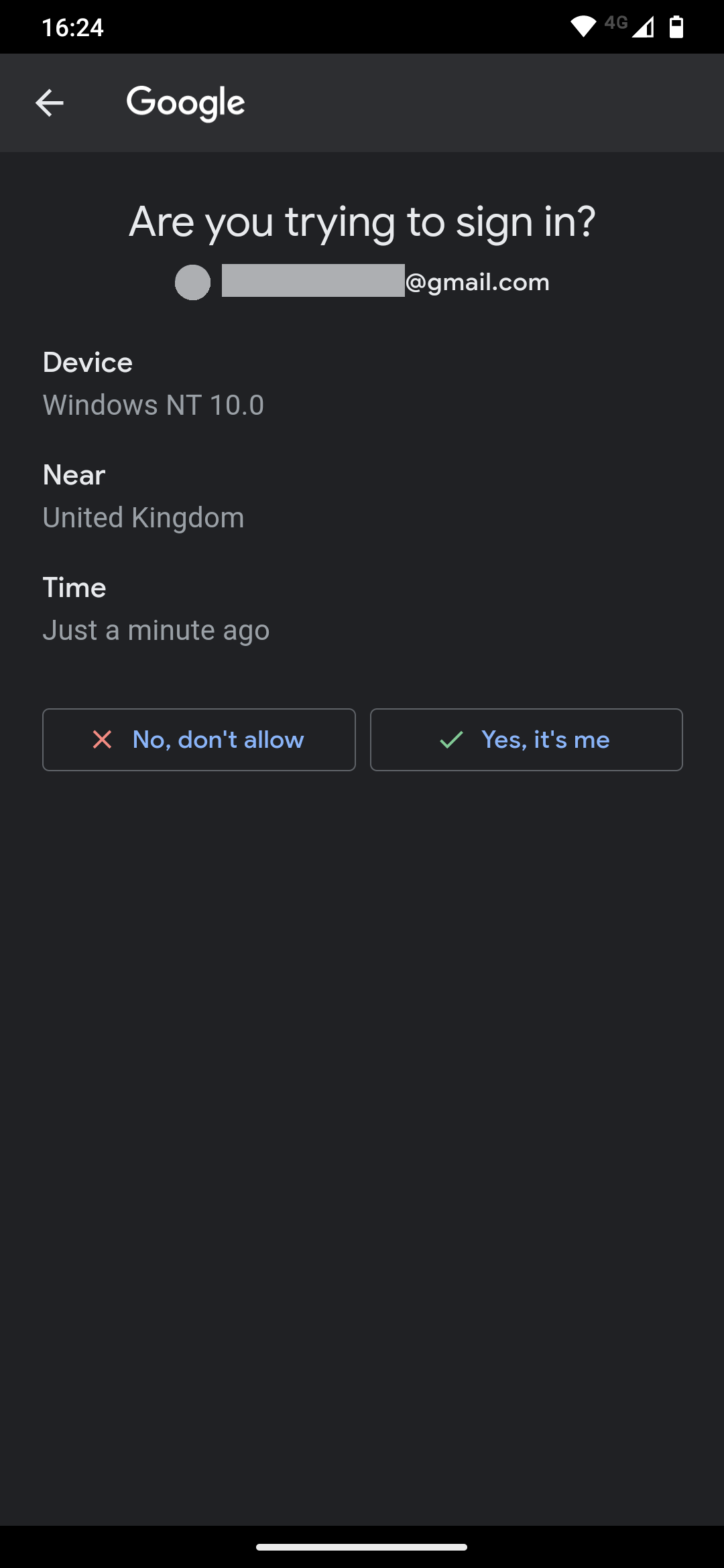
Do not worry there are plenty of ways that you can actually implement 2FA easily using what you already have as well as other more advanced and secure methods. One of the original methods for 2FA is the humble SMS message which is usually 5 digit pin that you enter. While SMS is very easy to set up just requiring you to provide your mobile number it is considered less secure than using other methods. Another common and easy to set up 2FA method is using email which is very similar to SMS but is considered more secure as it requires you to enter credentials to access the verification pin, and using your email for 2FA means that you can also use different devices you own. Some services have their own method of 2FA to make it more secure such as Gmail which works by sending you a prompt to your phone which gives you the options to accept or deny access.
Microsoft Authentiator is another potential choice
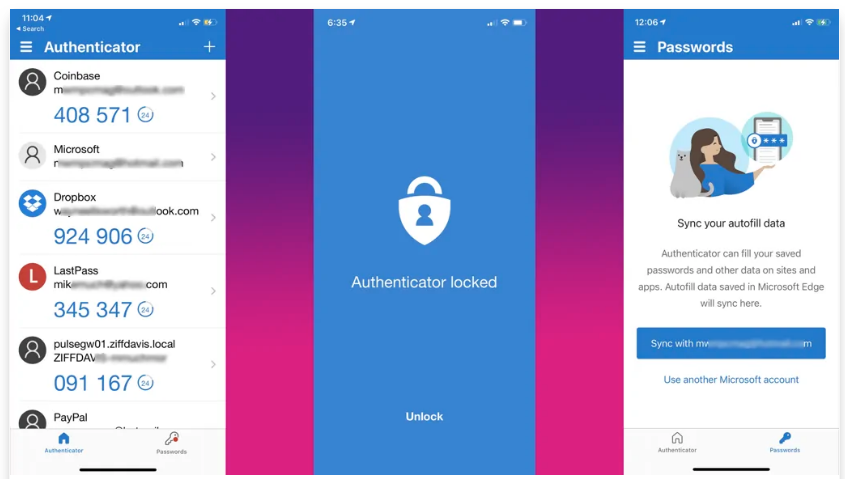
Microsoft Authenticator is another potential choice, it includes secure password generation and lets you log in to Microsoft accounts with a button press. The app also lets schools and workplaces register users’ devices. If you use this app, be sure to turn on account recovery. That way, when you get a new phone, you’ll see an option to recover by signing into your Microsoft account and providing more verifications.
You can require unlocking your phone with PIN or biometric verification to see the codes. Password management options are in a separate tab along the bottom. You can sync with the Microsoft account you associated with the authenticator, and after that, you’ll see the logins you’ve saved and synced from the Edge browser, (or Chrome / Firefox) One problem (and it’s an Apple lock-in issue) is that if you’ve backed up to iCloud, you can’t transfer your saved MFA accounts to an Android device, though that’s the case for most authenticators that offer cloud backup.
These are two of the leading examples, there are many more, one we like is “Authy” by Twilio, but the list includes LastPass Authenticator, 2FAS, etc.
Watchguard, a security companty we rate (and represent) have an excellent product Authpoint, that combines security and a reasonable cost

However our favourite product for business users is, VaultWarden, which is an Open Source Self Hosted Version of BitWarden
The main point of this article, is to convey two points, firstly that you will be obliged to adopt 2FA for many websites and services in the coming months and years, and that it is far better to consider and develop this along a plan that is managed by YOU, rather than ad-hoc adoption of disparate systems as, and when, you are obliged to do so, with resulting weak and inadequate passwords and backup/recovery systems
As I believe we have said before get in touch and talk to us about this today!